Screen recording
Android · Screen Recording Apps
Rate this Screen recording
At a glance: Screen recording
Screen recording runs on Android and is listed under Screen Recording. It’s catalogued on AppScout with a verified link to the official store.
It shows 95.2 k downloads and a source rating of 4.4/5 from the source catalog. Ratings come from the original listing — AppScout does not collect its own reviews.
Looking for similar Screen Recording options on Android? Compare Screen recording with the alternatives below, or browse more Android apps with related features.
About Screen recording
HUAWEI’s built-in screen recorder lets you capture your phone or tablet screen, add microphone audio, and instantly save, share, or view recordings from the gallery
What we like
- Source rating is high (4.4/5)
Things to consider
- No verified official store link yet — try the developer’s website
- Offline support not explicitly stated — check the store description
- Pricing details not stored locally — confirm on the store page
How to install Screen recording
- Tap Get on the official storeYou’ll be taken to the official the official store listing for Screen recording.
- Sign in if promptedUse your usual the official store account; no AppScout account is needed.
- Install on your Android deviceThe download starts automatically once you confirm.
Permissions and privacy
Permissions are requested at first use and listed on the official store page.
Categories
Tags
Screen recording vs. alternatives
| App | Rating | Downloads | Tags |
|---|---|---|---|
| Screen recording (this app) | ★ 4.4 | 95.2 k | Popular |
| MIUI Screen recorder | ★ 4.1 | 1.6 M | — |
| ADV Screen Recorder | ★ 4.2 | 1.1 M | — |
| Screen Recorder | ★ 4.4 | 1 M | — |
| Samsung Game Tools | — | — | — |
| Mobizen Screen Recorder | — | — | — |
More Screen Recording apps
See all →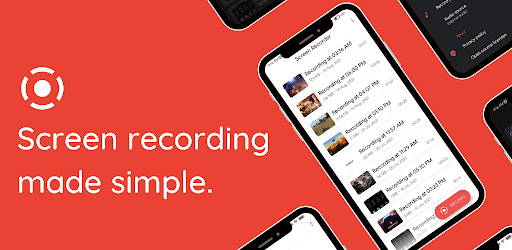 MIUI Screen recorder
Record internal audio without root on Xiaomi devices, then capture gameplay or anythin
MIUI Screen recorder
Record internal audio without root on Xiaomi devices, then capture gameplay or anythin
 ADV Screen Recorder
No-root screen recording with one-tap controls, plus on-screen drawing and front or re
Screen Recorder
Record everything on your Android screen in high quality, including internal audio. St
Samsung Game Tools
A set of features to improve your gaming experience
ADV Screen Recorder
No-root screen recording with one-tap controls, plus on-screen drawing and front or re
Screen Recorder
Record everything on your Android screen in high quality, including internal audio. St
Samsung Game Tools
A set of features to improve your gaming experience
 Mobizen Screen Recorder
Connect your Android device with your PC
Screen Recorder
One-tap screen recording captures everything on your device with internal audio, touch
Mobizen Screen Recorder
Connect your Android device with your PC
Screen Recorder
One-tap screen recording captures everything on your device with internal audio, touch
 XRecorder
Watermark-free screen recording in up to 1080p at 60fps, with mic audio for gameplay,
FadCam
Background video recording with the screen off lets you capture discreetly while using
XRecorder
Watermark-free screen recording in up to 1080p at 60fps, with mic audio for gameplay,
FadCam
Background video recording with the screen off lets you capture discreetly while using
 AZ Screen Recorder
Record what happens on your Android's screen
Super Screen Recorder
Try this screen recorder and create your own gameplays
Screen Recorder with Audio - No Watermark
Daily Cash & Free VPN
V Recorder
Record everything that happens on your Android smartphone
AZ Screen Recorder
Record what happens on your Android's screen
Super Screen Recorder
Try this screen recorder and create your own gameplays
Screen Recorder with Audio - No Watermark
Daily Cash & Free VPN
V Recorder
Record everything that happens on your Android smartphone
You may also like
 Duo Mobile
Tap-to-approve logins speed up two-factor authentication, with backup passcodes and st
Duo Mobile
Tap-to-approve logins speed up two-factor authentication, with backup passcodes and st
 Microsoft Authenticator
Official Microsoft 2FA for thousands of sites and services, with QR setup, offline one
Microsoft Authenticator
Official Microsoft 2FA for thousands of sites and services, with QR setup, offline one
 Google Authenticator
Google’s official two-step authentication app adds secure 2FA codes to your accounts.
Blacktel
Virtual phone numbers let you call, text, and fax worldwide without a SIM card. Great
Google Authenticator
Google’s official two-step authentication app adds secure 2FA codes to your accounts.
Blacktel
Virtual phone numbers let you call, text, and fax worldwide without a SIM card. Great
 Authenticator
Device-generated one-time codes add a strong second layer of login security. Scan QR c
Authenticator
Device-generated one-time codes add a strong second layer of login security. Scan QR c
 Okta Verify
Two-step verification with quick QR-code setup lets you securely sign in to Okta and a
Okta Verify
Two-step verification with quick QR-code setup lets you securely sign in to Okta and a
Frequently asked questions
Is Screen recording free?
Screen recording is distributed through the official the official store. Pricing and in-app purchases are shown on the store page when you tap Get on the official store.
Is Screen recording safe to download?
We only link to verified official sources (the official store). Always check the developer name and reviews on the store page before installing.
What platforms does Screen recording support?
This listing covers the Android version of Screen recording. Check the official store for availability on other platforms.
What are alternatives to Screen recording?
See the related Screen Recording apps below, or browse the full Screen Recording category for more options.
Does Screen recording work offline?
Offline support depends on the app. Check the official store description for details about offline mode and required permissions.
When was Screen recording last updated?
This catalog page was last updated July 07, 2026. For the latest app version and changelog, visit the official store.