Rate this pdfFiller
pdfFiller screenshots


Screenshots via Google Play. All trademarks belong to their respective owners.
At a glance: pdfFiller
pdfFiller runs on Android and is listed under Productivity, developed by airSlate, Inc.. It’s catalogued on AppScout with a verified link to the official store.
It shows steady community adoption from the source catalog. Ratings come from the original listing — AppScout does not collect its own reviews.
Looking for similar Productivity options on Android? Compare pdfFiller with the alternatives below, or browse more Android apps with related features.
About pdfFiller
Create, edit, and manage your PDF documents
What we like
- Links to a verified official source
Things to consider
- Offline support not explicitly stated — check the store description
- Pricing details not stored locally — confirm on the store page
How to install pdfFiller
- Tap Get on Google PlayYou’ll be taken to the official Google Play listing for pdfFiller.
- Sign in if promptedUse your usual Google Play account; no AppScout account is needed.
- Install on your Android deviceThe download starts automatically once you confirm.
Permissions and privacy
Apps in this category generally request minimal permissions.
Categories
Tags
pdfFiller vs. alternatives
| App | Rating | Downloads | Tags |
|---|---|---|---|
| pdfFiller (this app) | — | — | Productivity |
| Knowunity | — | — | — |
| Vissengids | — | — | — |
| UDTeSchool | — | — | — |
| Certus | — | — | — |
| ISS Detector | — | — | — |
More Productivity apps
See all → Knowunity
Free study app with integrated AI
Knowunity
Free study app with integrated AI
 Vissengids
Dutch aquatic life identification app with real-time image recognition
Vissengids
Dutch aquatic life identification app with real-time image recognition
 UDTeSchool
Comprehensive school management and real-time updates for parents
UDTeSchool
Comprehensive school management and real-time updates for parents
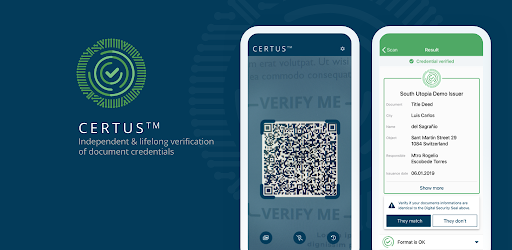 Certus
Student digital ID and scheduling app
Certus
Student digital ID and scheduling app
 ISS Detector
The current location of the International Space Station
US Calendar
Customizable wall calendar with event management
ISS Detector
The current location of the International Space Station
US Calendar
Customizable wall calendar with event management
 Chinese
Learn chinese with videos and native speaker practice
Chinese
Learn chinese with videos and native speaker practice
 세종학당 AI 선생님
AI-powered app for personalized, interactive Korean learning
세종학당 AI 선생님
AI-powered app for personalized, interactive Korean learning
 Grünbeck myProduct
Remote management of home water systems
Reminders
Never forget what's on your to-do list with this app
Grünbeck myProduct
Remote management of home water systems
Reminders
Never forget what's on your to-do list with this app
 Knowt - AI Flashcards & Notes
Transform notes into AI-generated flashcards and tests for efficient studying
Knowt - AI Flashcards & Notes
Transform notes into AI-generated flashcards and tests for efficient studying
 UNIP
ASS UNIF PAULISTA DE ENS RENOV OBJETIVO - ASSUPERO
UNIP
ASS UNIF PAULISTA DE ENS RENOV OBJETIVO - ASSUPERO
Frequently asked questions
Is pdfFiller free?
pdfFiller is distributed through the official Google Play. Pricing and in-app purchases are shown on the store page when you tap Get on Google Play.
Is pdfFiller safe to download?
We only link to verified official sources (Google Play). Always check the developer name and reviews on the store page before installing.
What platforms does pdfFiller support?
This listing covers the Android version of pdfFiller. Check the official store for availability on other platforms.
What are alternatives to pdfFiller?
See the related Productivity apps below, or browse the full Productivity category for more options.
Does pdfFiller work offline?
Offline support depends on the app. Check the official store description for details about offline mode and required permissions.
When was pdfFiller last updated?
This catalog page was last updated July 07, 2026. For the latest app version and changelog, visit the official store.